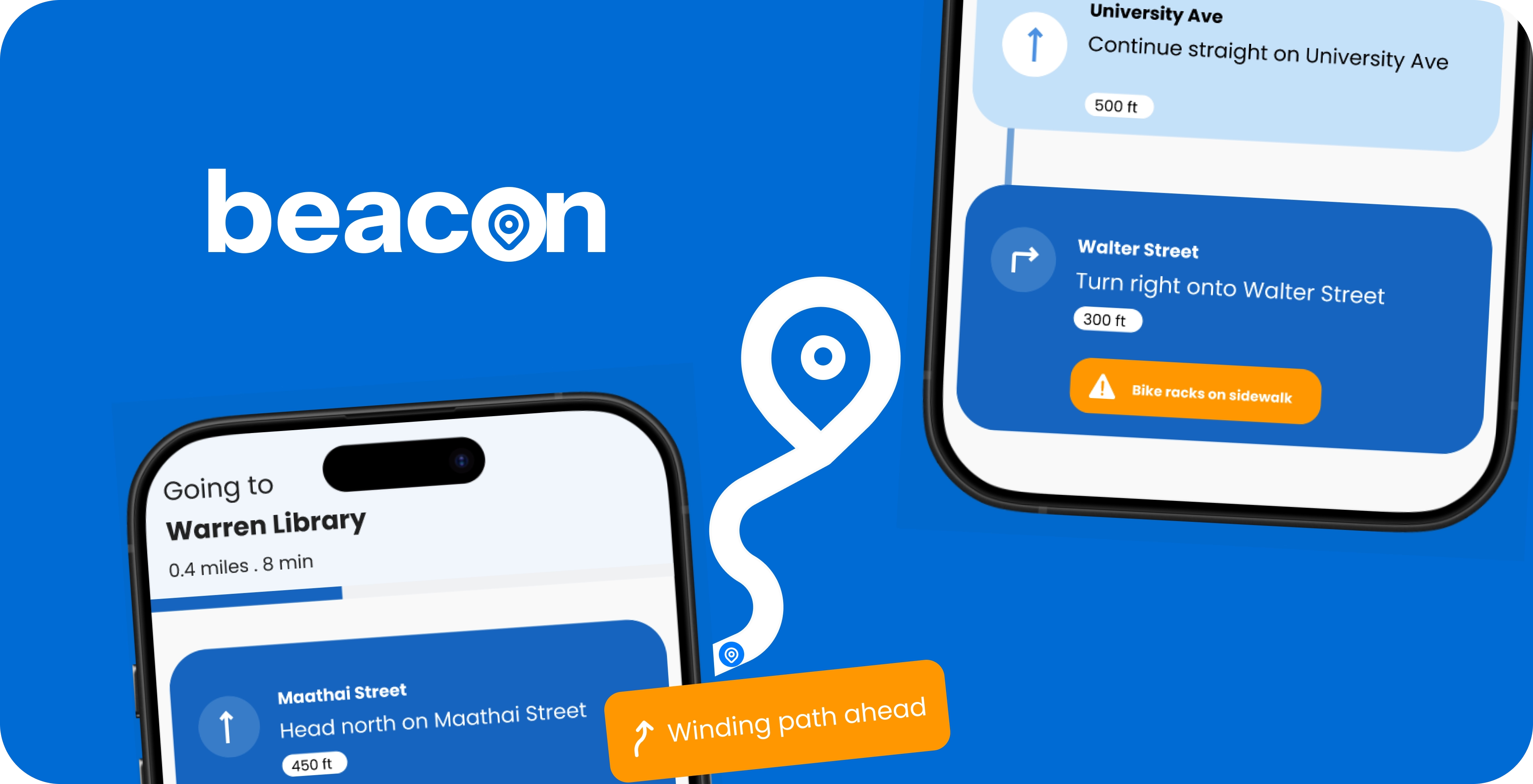
Intelligent navigation system for blind & low vision users
How might we support blind and low vision individuals to navigate independently?
Over 285 million people worldwide live with blindness and low vision. Traditional aids can miss hazards like slippery surfaces, overhead obstacles, and key landmarks, making everyday navigation harder and less independent.
Hands-free navigation guidance for safer, independent mobility
Beacon reimagines navigation for blind and low vision users through smart glasses and a companion app built to deliver intuitive, real-time guidance through audio, haptics, and spatial cues.
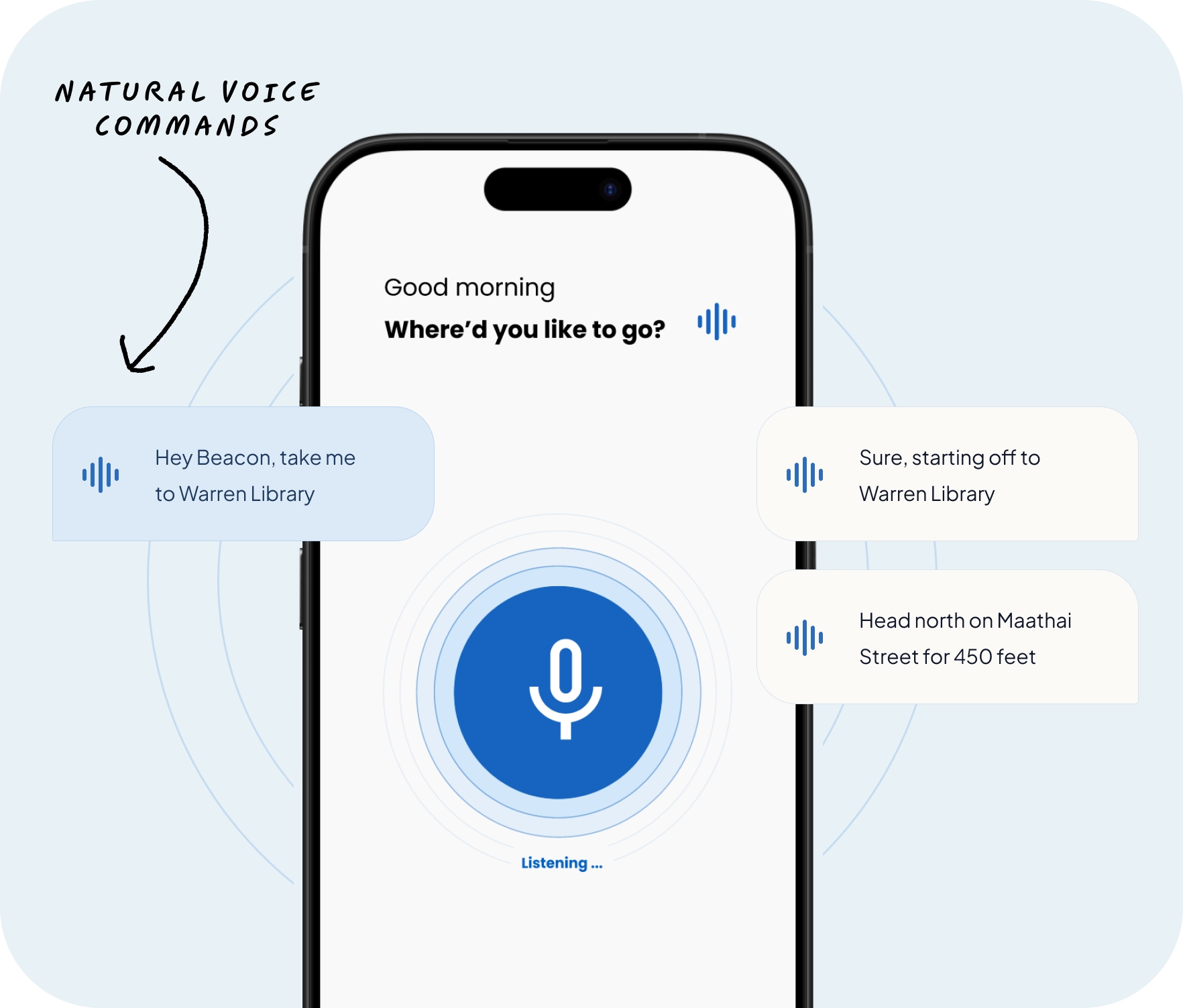
Fully accessible voice interface
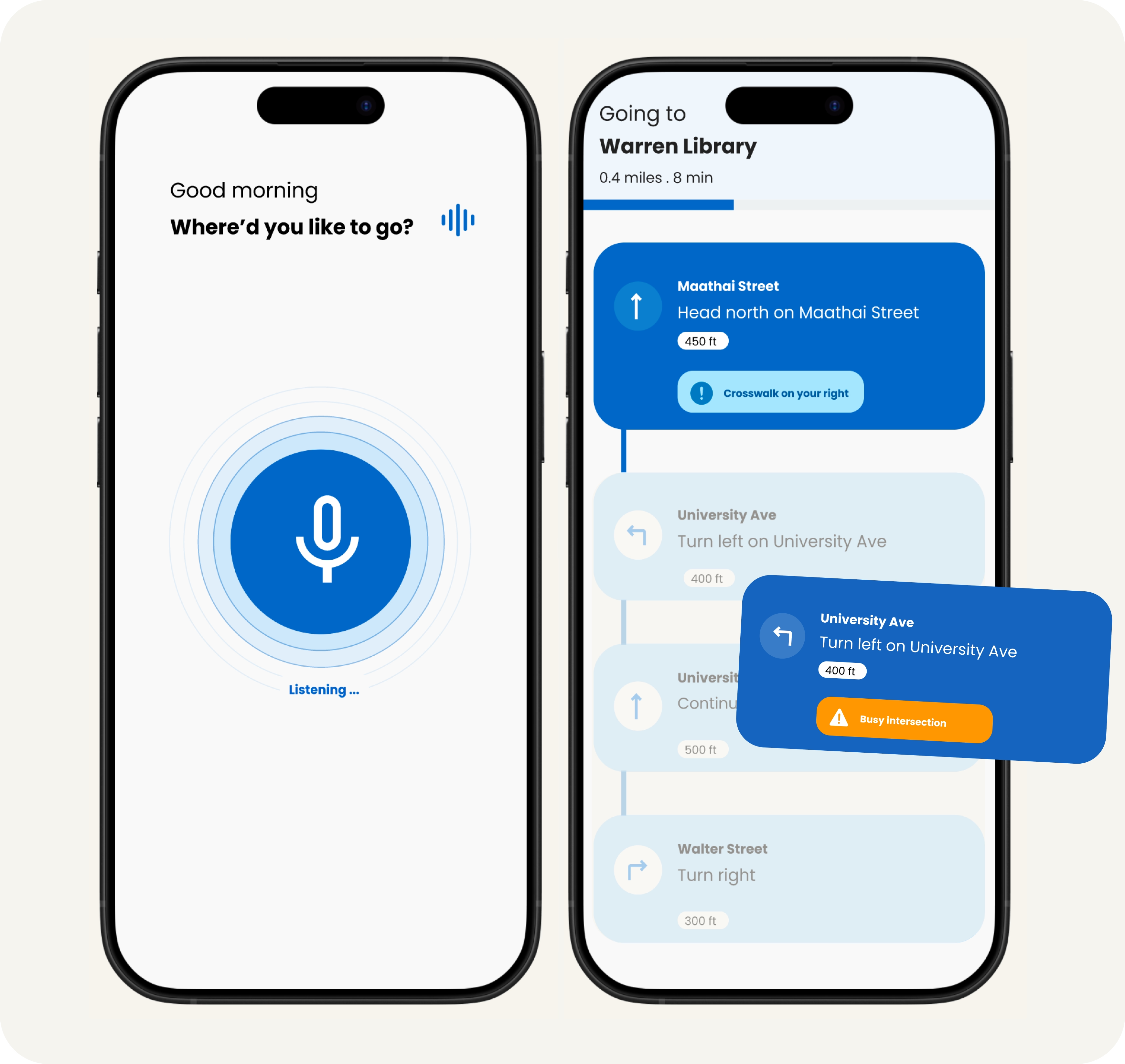
The voice-first interface lets users start navigation through simple spoken commands.
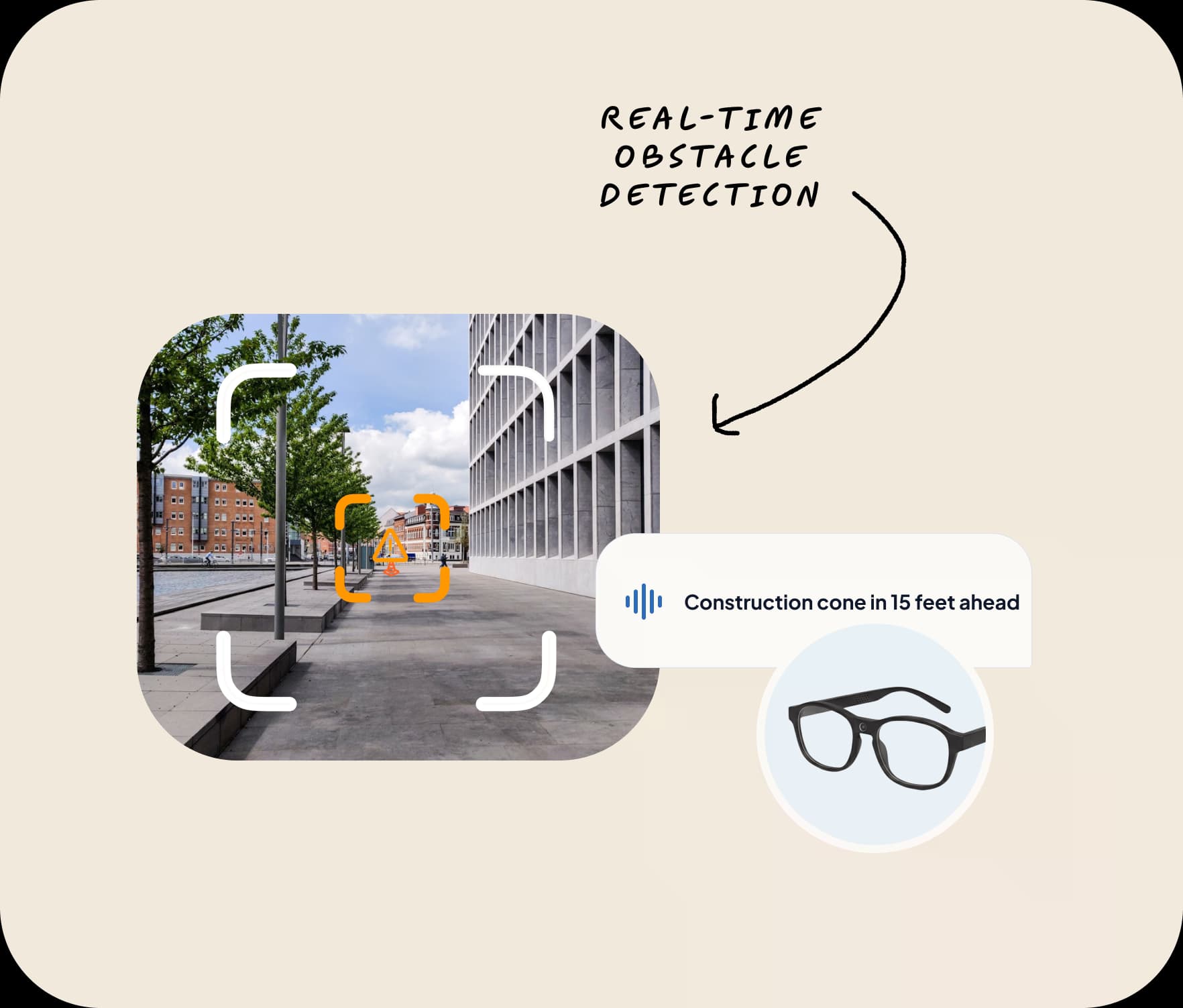
Smart glasses detect obstacles in real-time
Smart glasses with embedded sensors detect obstacles proactively before users reach them.
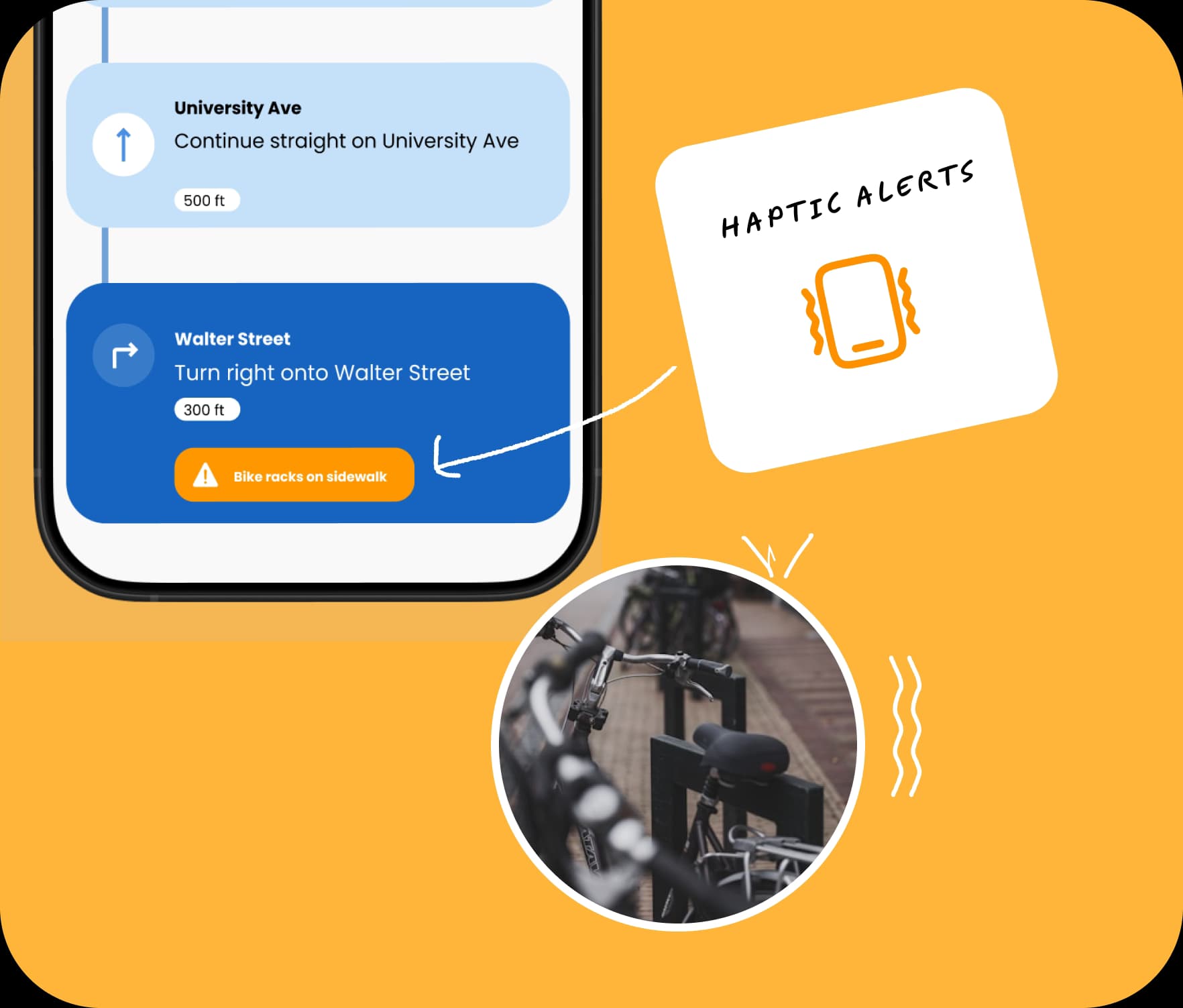
Obstacle alerts and haptic feedback for safer navigation
Audio and vibration cues work together to improve safety and confidence while navigating.
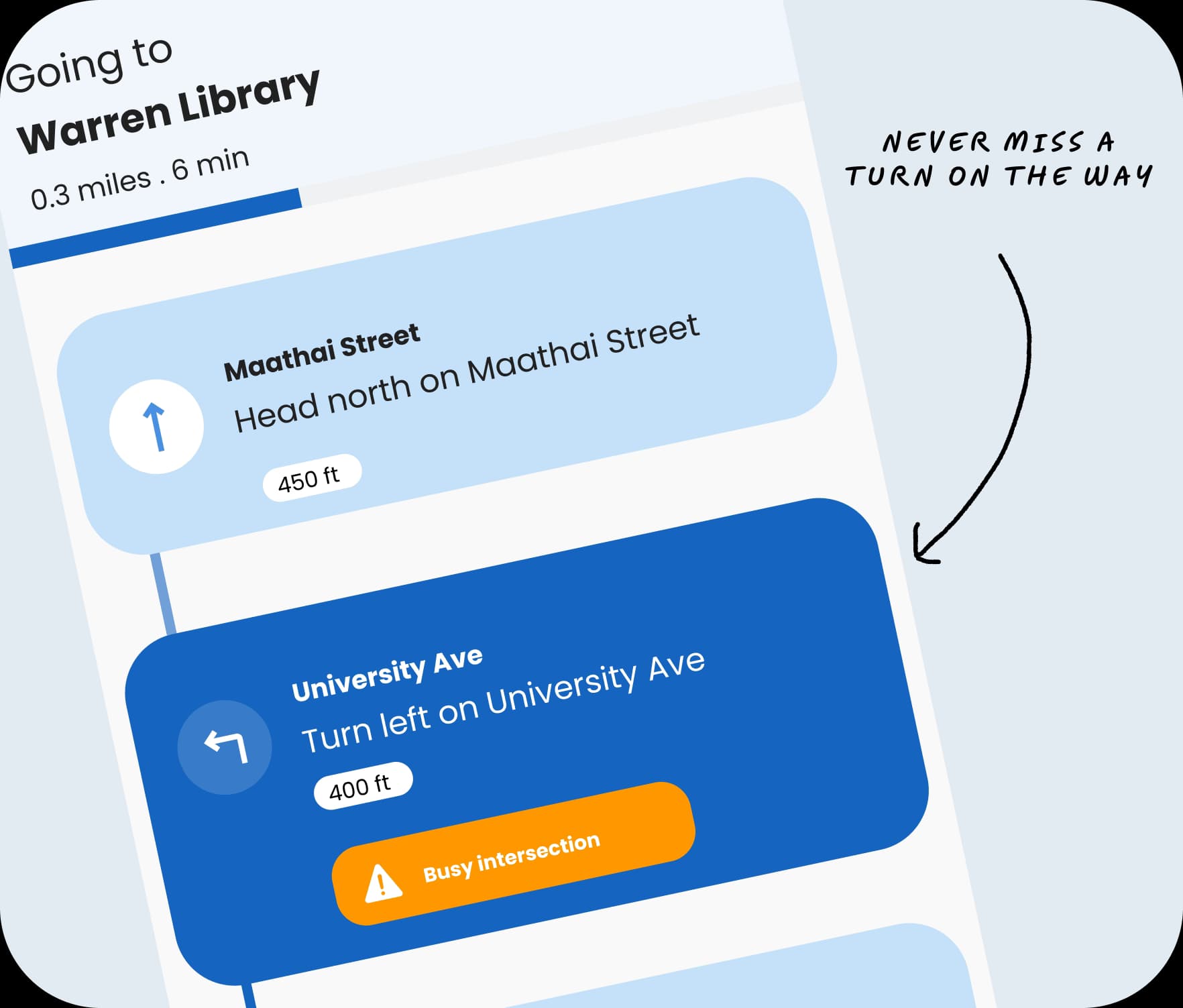
Turn-by-turn directions that keep users on track
Beacon provides clear step-by-step guidance so users can continue moving with confidence.
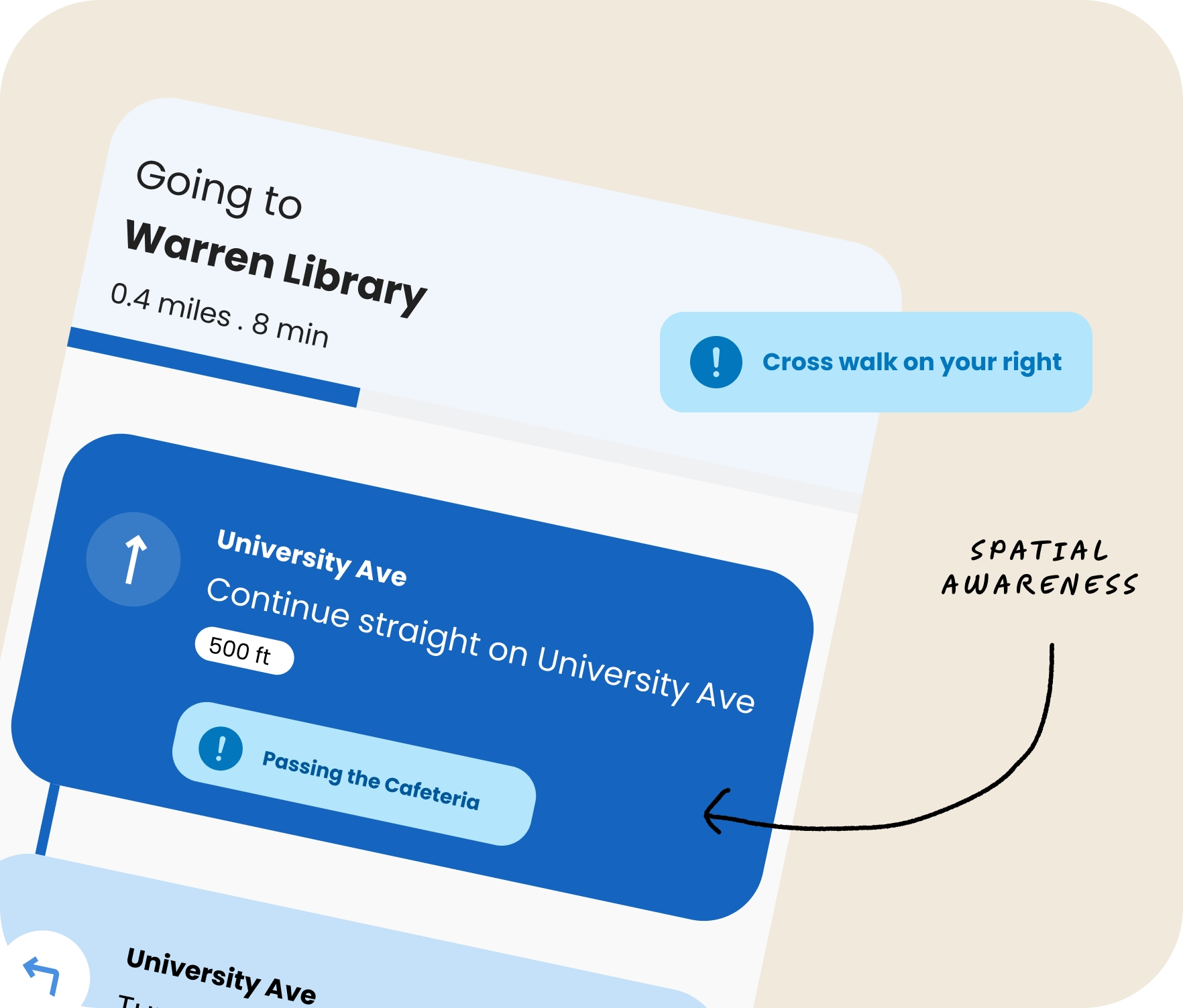
Users stay aware of surroundings with live spatial alerts
Spatial cues call out landmarks and nearby context to help users understand their environment.
How Beacon came together
From an open research question to a navigation system built around real user needs, connecting smart glasses and a mobile companion app
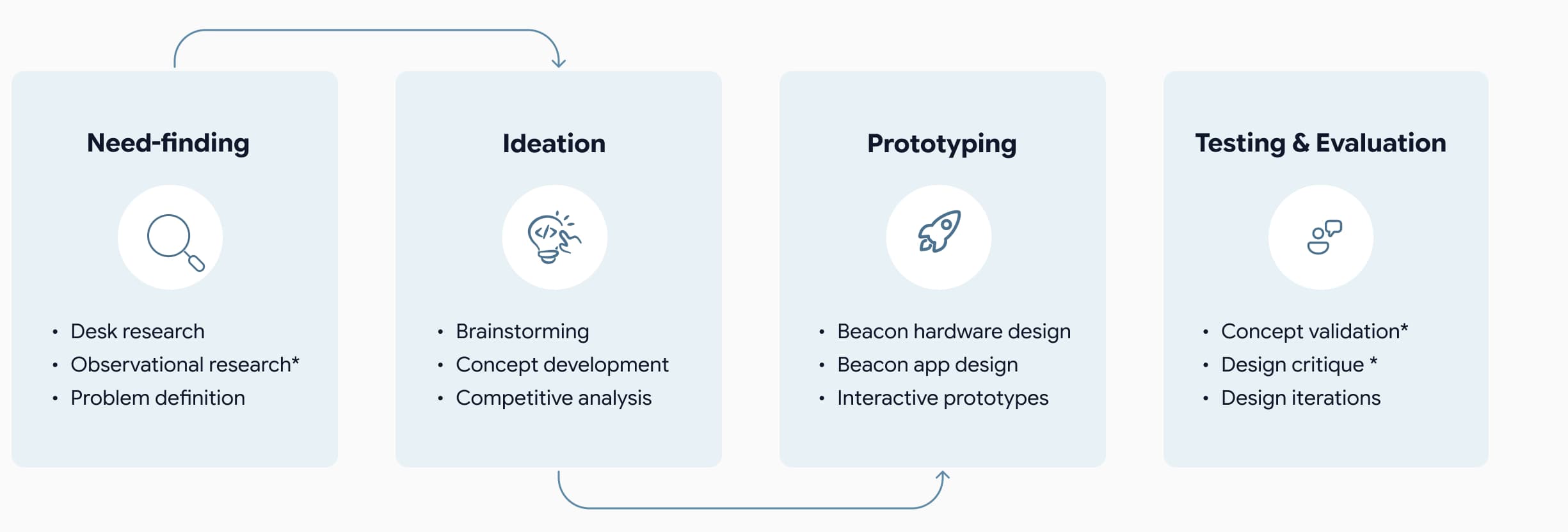
Need-finding
Understanding the challenges users face
Starting with a broad question — how might technology empower blind and low vision individuals? — desk research and a six-participant observational study helped narrow down the focus. Navigation emerged as the most critical unmet need.
- 80% of perception relies on sight
- participants struggled with mobility
- Navigation became the most critical unmet need
“How might we empower users to
navigate independently?”
Ideation
Exploring concepts
We explored three concepts and evaluated them against three requirements. Smart glasses with a companion app met all the requirements.
- Voice interaction
- Obstacle detection
- Spatial awareness
| Concept | Voice interaction | Obstacle detection | Spatial awareness |
|---|---|---|---|
| Smart glasses + app | |||
| Smart cane with sensors | |||
| Mobile audio app |
Prototyping
Refining the navigation experience through iteration
With the smart glasses selected, we explored the interaction model across both the wearable and companion app.
But design critique surfaced three accessibility and usability issues that directly informed the next iteration.
Glasses
First iteration (before)
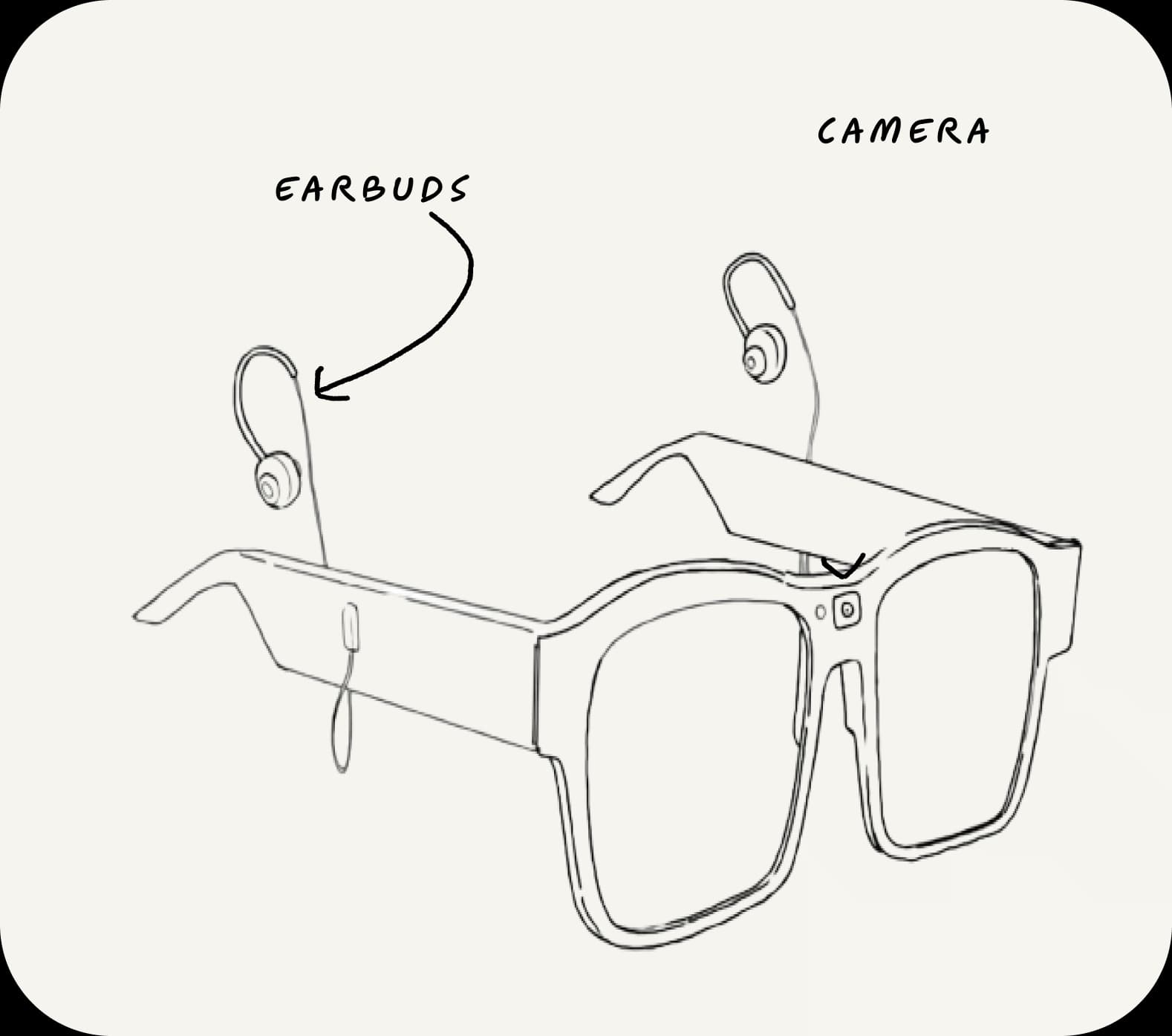
Temple-mounted earbuds
We heard that temple-mounted earbuds blocked surrounding audio, reducing awareness of nearby activity and hazards.
Second iteration (after)
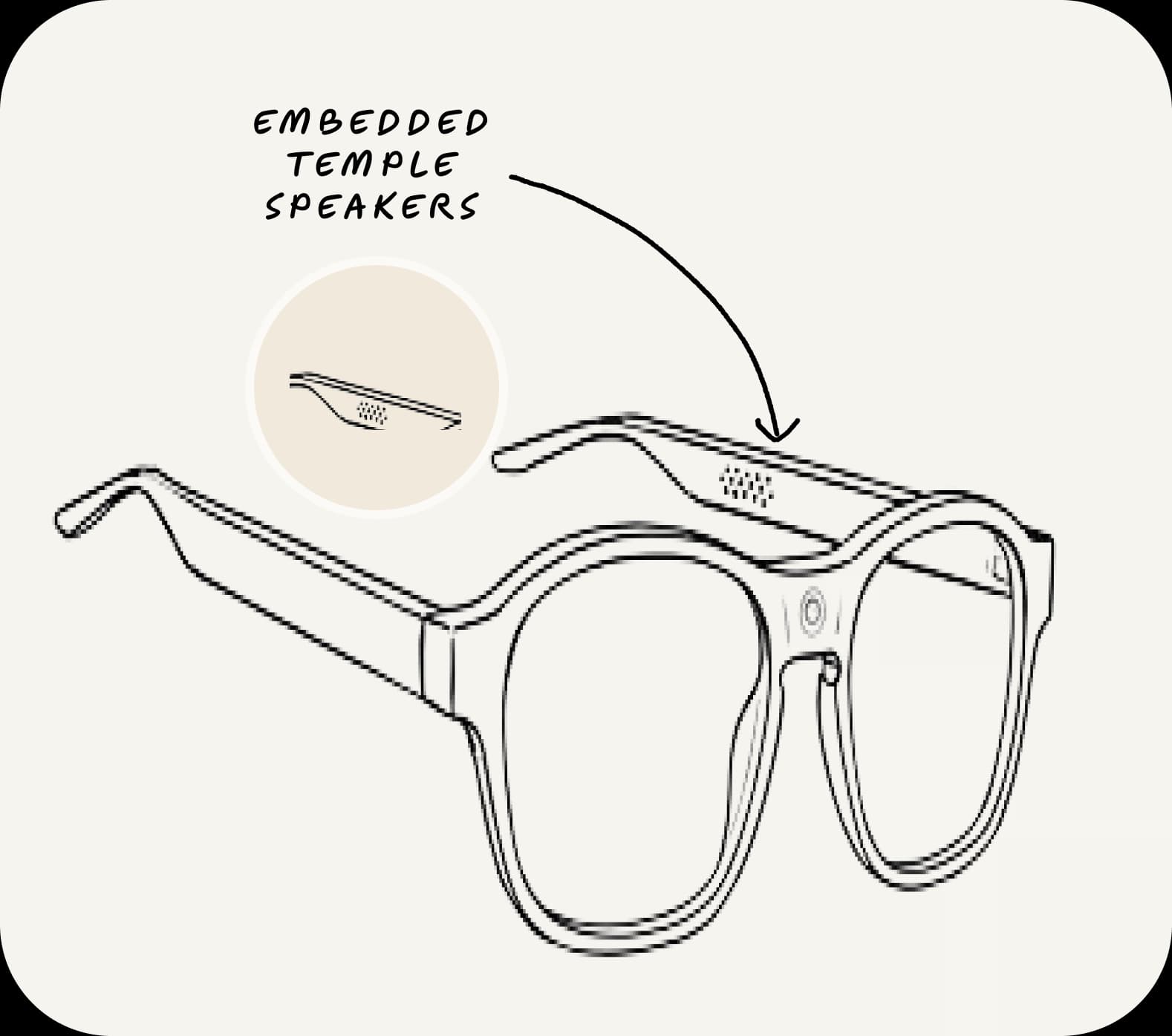
Embedded temple speakers
Embedded temple speakers preserve awareness of surrounding audio and activity while delivering navigation guidance.
App
First iteration
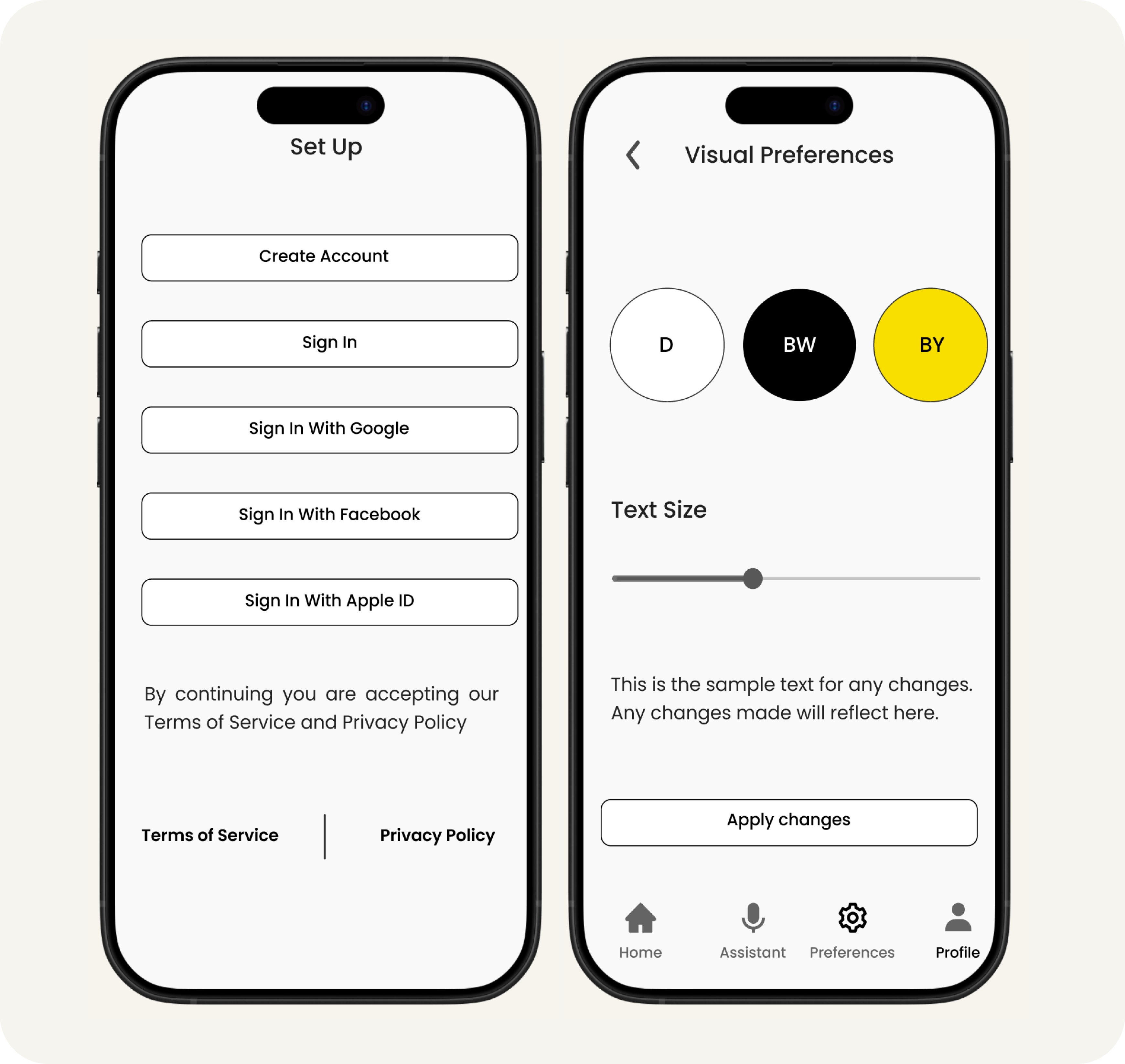
Visual onboarding + touch interactions
Small touch targets and visual UI patterns in the initial designs reduced accessibility for low vision users.
Second iteration
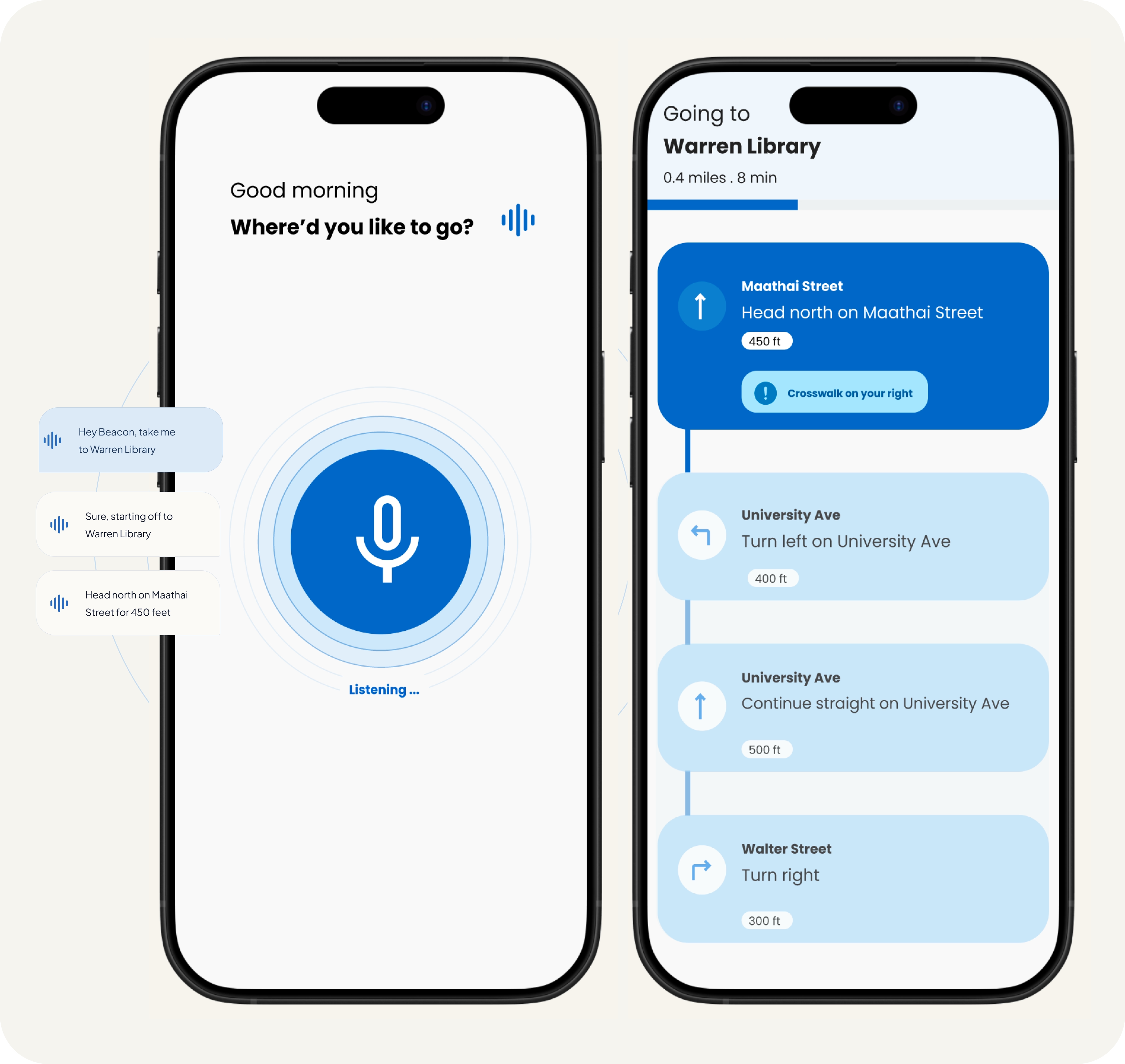
Voice-first interaction model
Redesigned the UI for a voice-driven interaction with immediate access to navigation guidance.
Evaluation & Testing
Final designs informed by design feedback
From further evaluation, we learned that clear audio navigation guidance on its own wasn't sufficient. So, the final design combines audio directions, haptic feedback, and spatial cues - all working together to give users a complete picture of their surroundings and deliver a more confident navigation experience.
Designing for safer, more independent navigation
Our design work defined principles for designing assistive navigation that prioritize safety and independence.
Layer multiple forms of feedback
Audio alone wasn't sufficient for reliable navigation. Combining voice, haptics, and spatial cues creates a more accessible and robust guidance system.
Preserve environmental awareness
Users rely heavily on surrounding sound for orientation and safety. Having open audio preserve awareness of nearby people, traffic, and hazards.
Deliver navigation guidance proactively
Timing proved just as important as accuracy. Early obstacle and turn alerts give users more time to react confidently and move safely.
What this project taught me
Working on Beacon reinforced the value of testing assumptions early. The strongest insights emerged through critique, testing, and continuous iteration.
Validate assumptions through iteration
Each prototype exposed gaps between our intentions and actual usability. Iteration helped me uncover issues around environmental awareness, interaction clarity, and accessibility that weren't obvious initially.
Build and validate with real users
A key lesson was recognizing the limitations of proxy users. While blindfolded participants highlighted mobility challenges, they cannot replicate the lived experience of permanent vision loss. If I had more time, I'd work with real users.